Reimagining Interaction with AI for ADHD Cognitive Accessibility

Helping professionals with ADHD stay in flow by reducing context switching, improving AI interactions, and evaluating prompt design.

Intro

Intro

Intro

Professionals with ADHD are creative problem-solvers, but traditional workflows with linear processes and frequent context switching can create friction. This project uses behavioral research to design AI interactions and system prompts that reduce cognitive load and support more adaptive work styles.

$15.5 million

$15.5 million

$15.5 million

Adults (6%) have ADHD in the U.S.

Adults (6%) have ADHD in the U.S.

Adults (6%) have ADHD in the U.S.

CDC’s National Center for Health Statistics Rapid Surveys System, 2023

22+ days

22+ days

22+ days

of productivity are lost per year than non-ADHD coworkers

of productivity are lost per year than non-ADHD coworkers

of productivity are lost per year than non-ADHD coworkers

Attention Deficit Disorder Association, 2023

$105B~$194B

$105B~$194B

$105B~$194B

that’s the annual productivity loss from adult ADHD in the U.S.

that’s the annual productivity loss from adult ADHD in the U.S.

that’s the annual productivity loss from adult ADHD in the U.S.

Doshi, Jalpa A. et al.
Corporate Sponsor

Project Type

Corporate Sponsor

Timeline

Jan 2025 - Present

Team

MHCI+D Team:

Tsui-Mou Hsiao (Me)

Ainsley Tham

Je Eun Yoo

Amanda Hoang

Microsoft Team:

Principal PM, Azure OpenAI (Sponsor)

Senior UX Researcher (Mentor)

Neural Divergent Group

What I Did

  • Led design of 4 cognitive accessibility features to reduce ADHD context switching by leveraging simplification and AI (Copilot) integration, through concept sketches, user journeys, low/high-fidelity designs, and interactive prototypes.

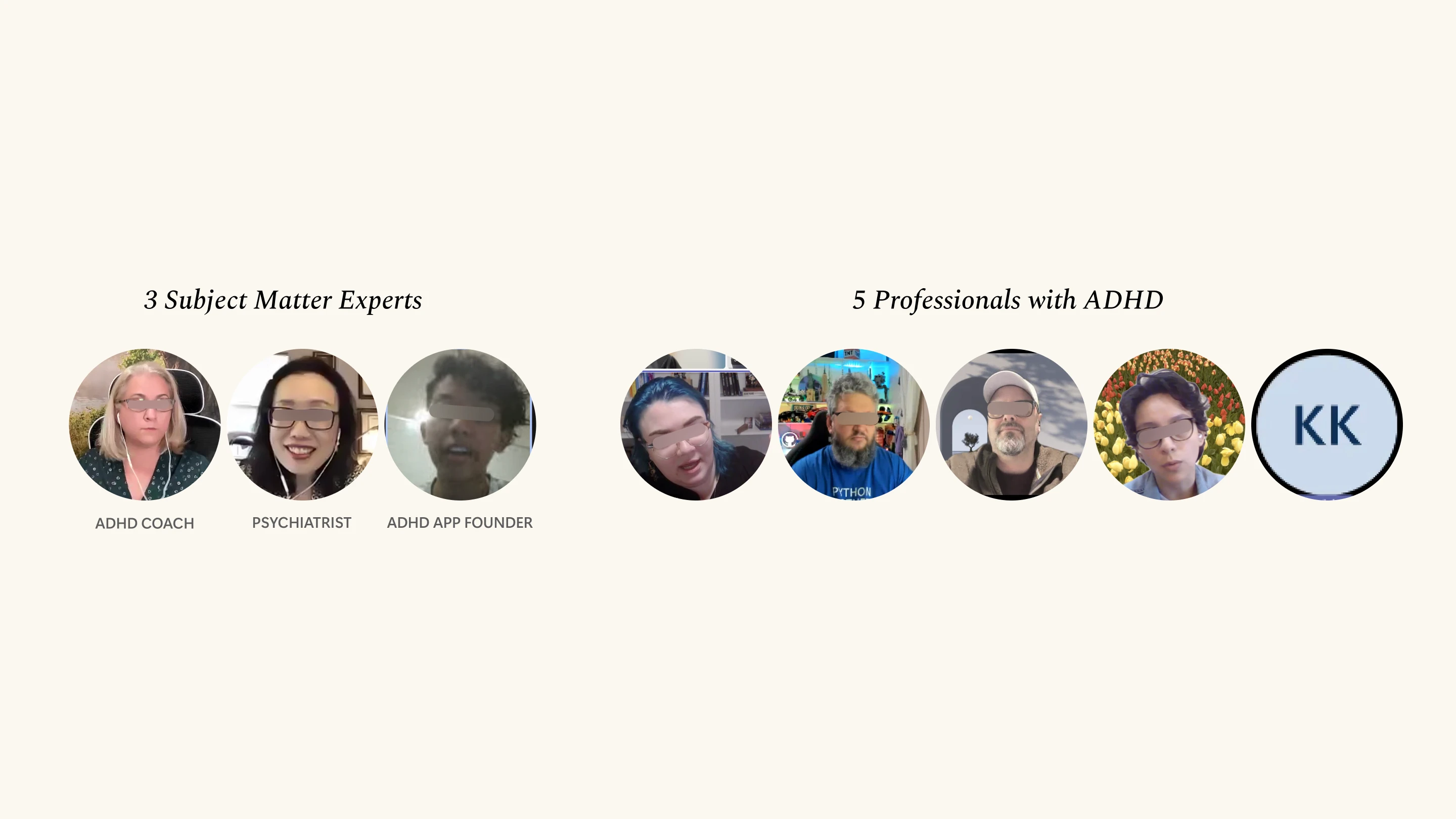
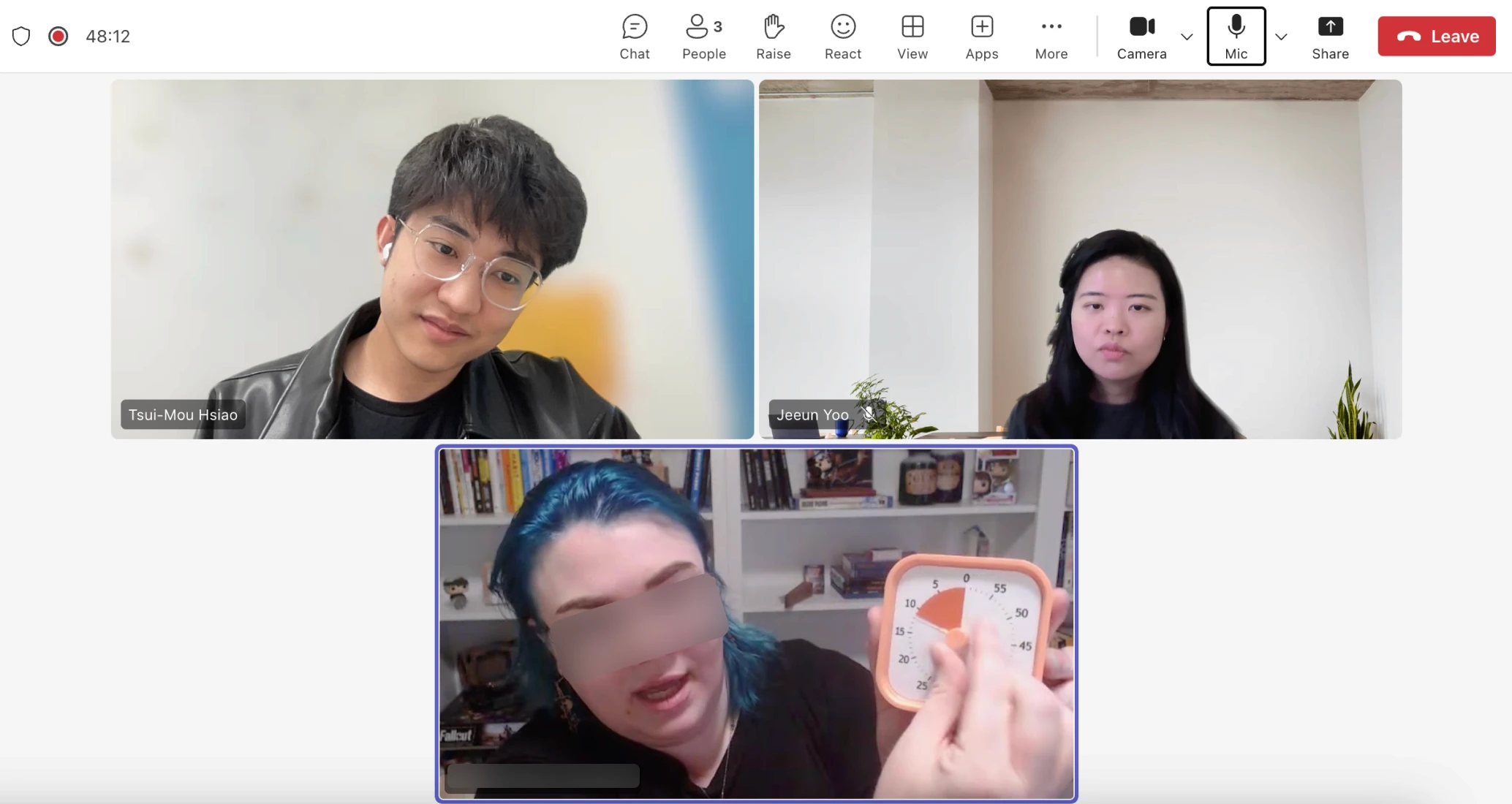
  • Conducted semi-structured interviews to identify and explore ADHD complex workflows with 3 subject matter experts and 5 neurodivergent users, synthesizing into 5 insights and 4 design principles to shape product strategy.

  • Refined LLM output by developing prompt guidelines, using prompt evaluations and 3 rounds of usability testing to refine tone, structure, and intent.

Final Designs

Final Designs

Final Designs

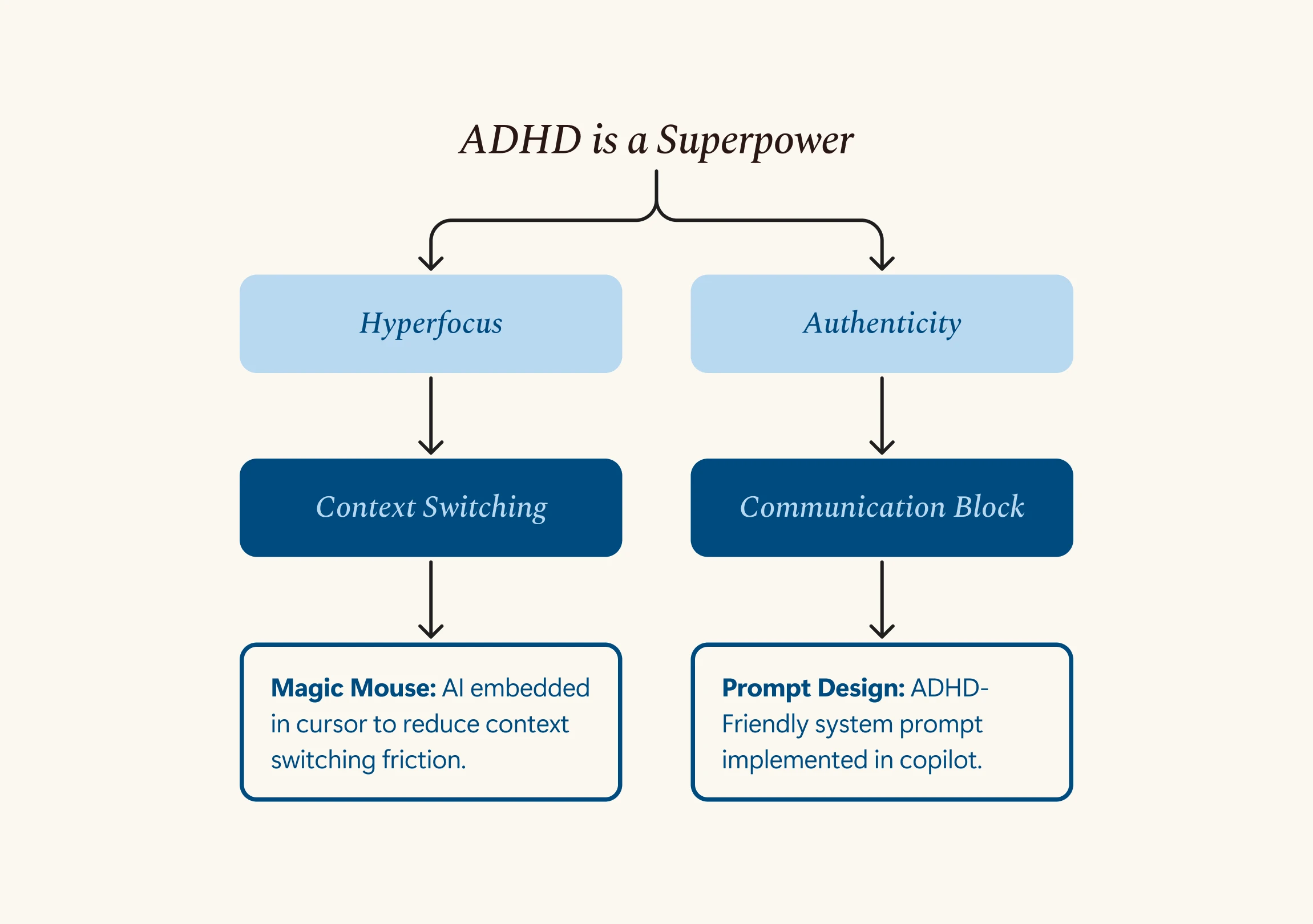
Magic Mouse: Meet Users Where They Are Without Breaking Their Workflow

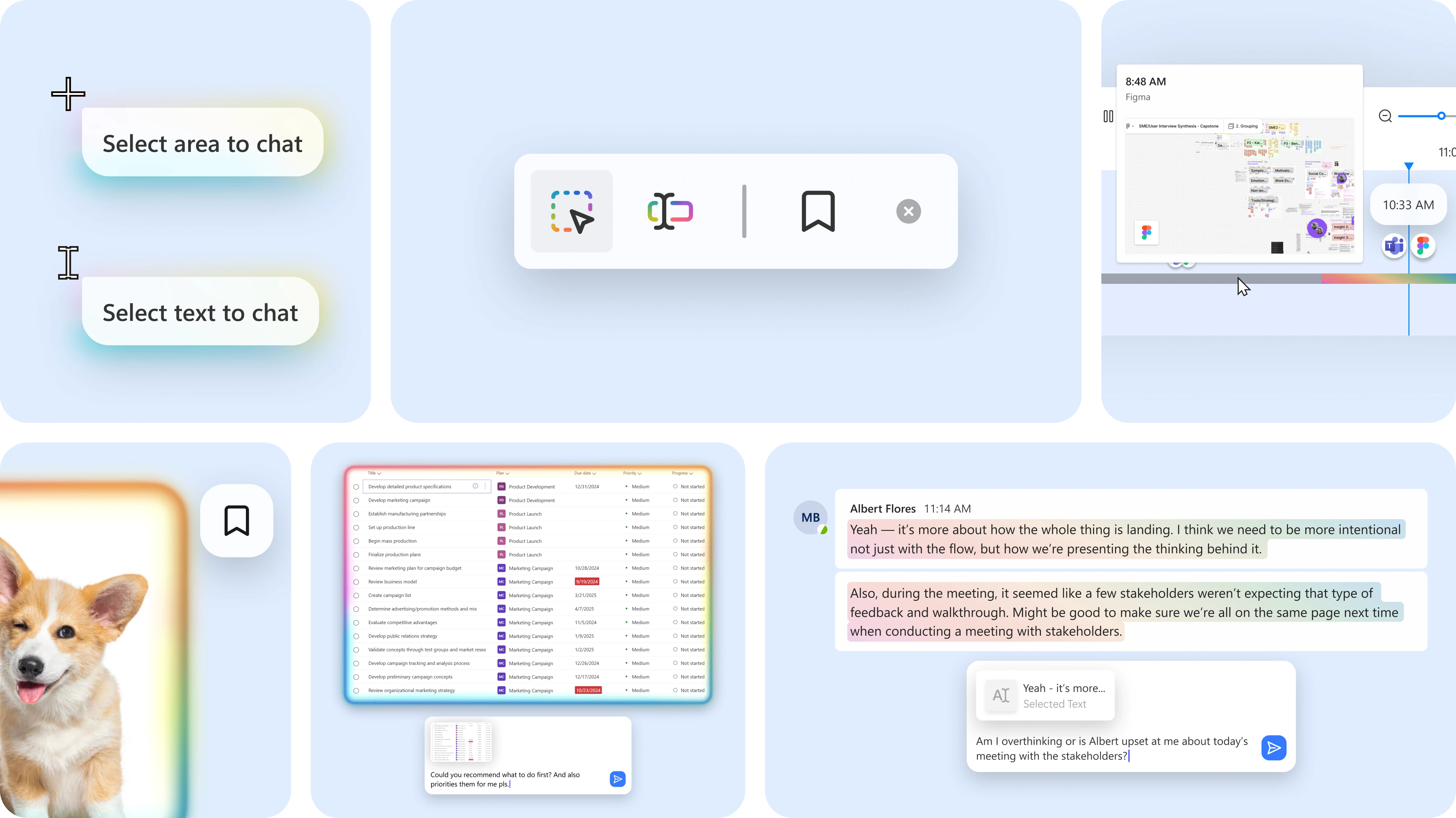
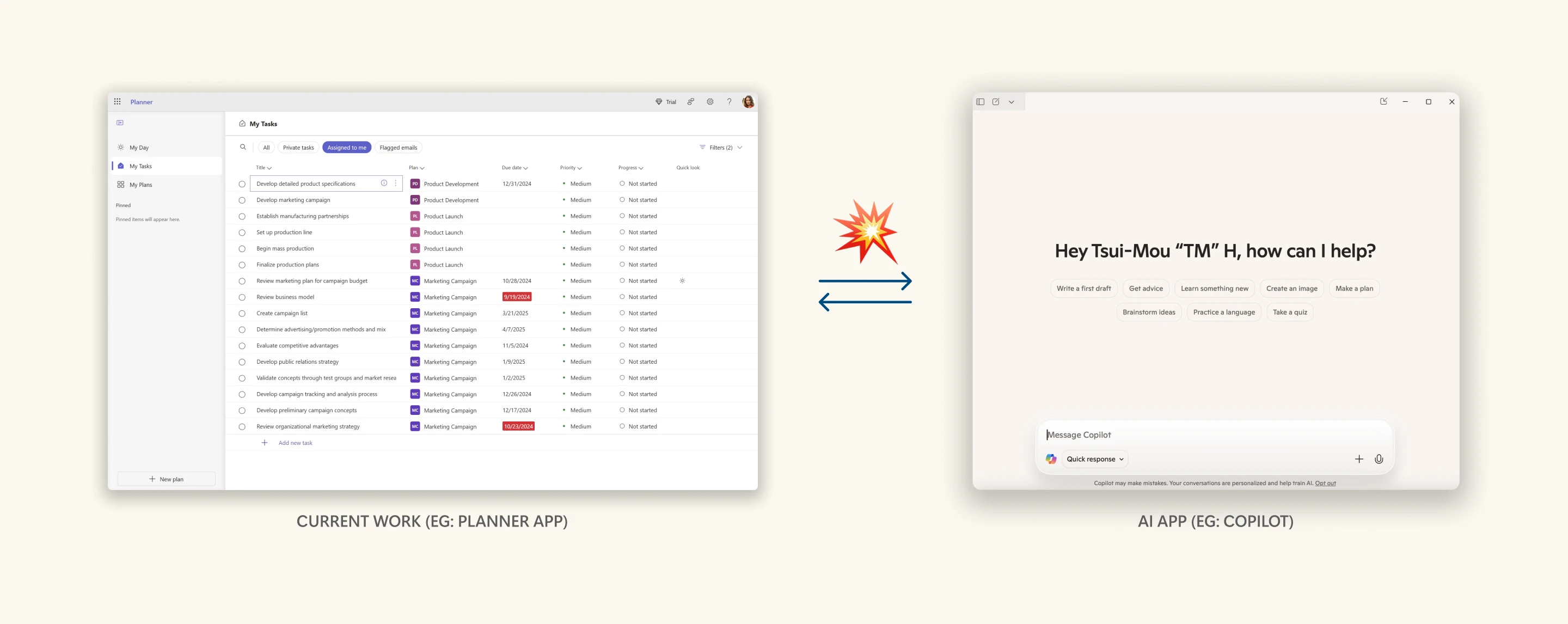
I designed a more streamlined way for professionals with ADHD to interact with AI without breaking flow. Traditional LLM tools isolate interaction in chat windows, disrupting focus and requiring mental effort to reframe tasks. This solution removes that friction by enabling in-context support without switching apps.

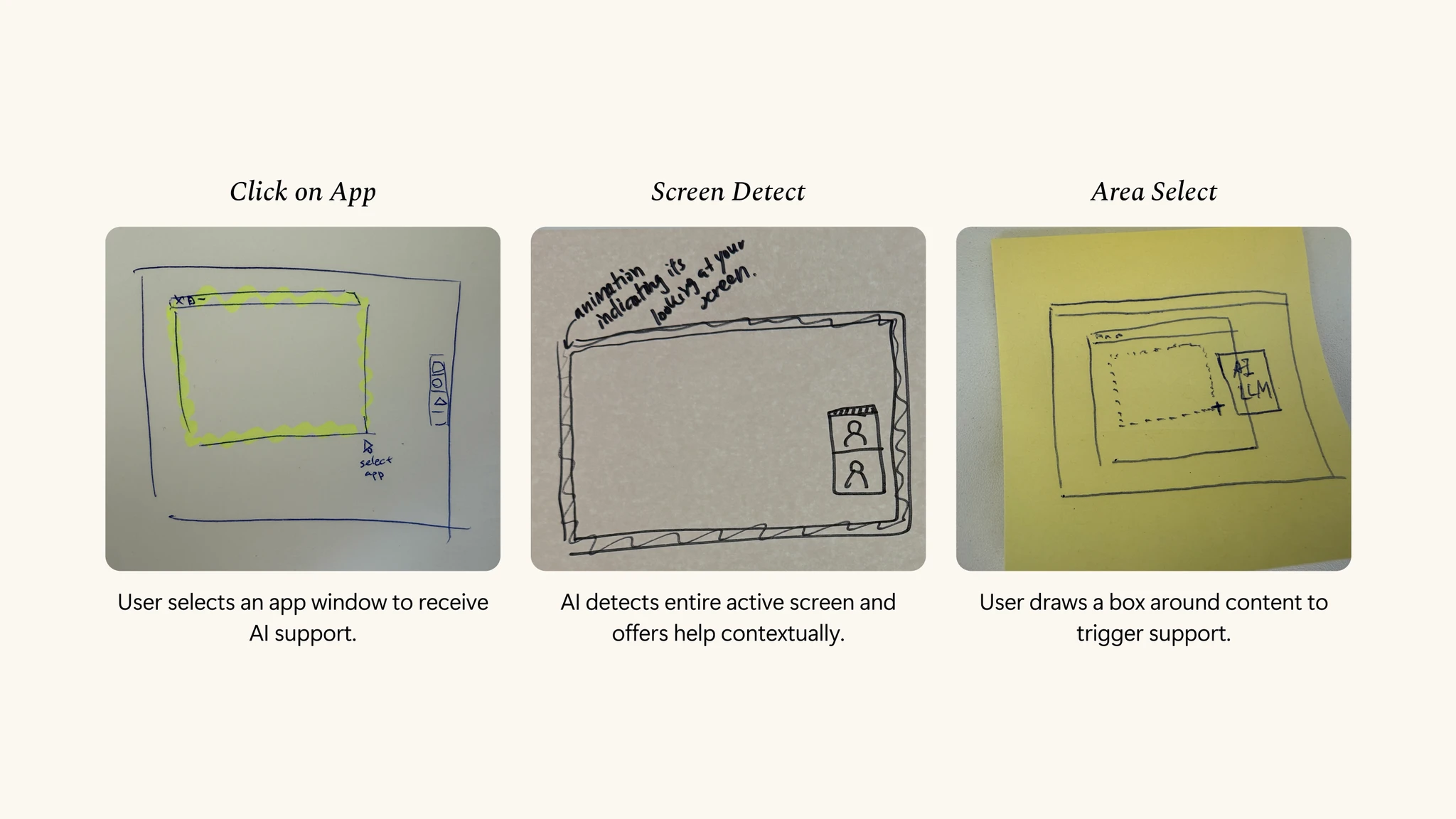
Magic Mouse: Area Select

Any region on screen can be selected to summon AI support. The model interprets the selection and offers context-aware suggestions, enabling fast, relevant assistance without switching tools or breaking your flow.

Magic Mouse: Text Highlight

Highlighting provides instant, in-context support for tasks like writing, reviewing, or social scripting. It’s especially helpful for longer passages or precision in selecting a part of a sentence, giving AI fuller context.

Contextual Tool Switching

The cursor adapts to the user’s intent when selecting areas or highlighting text, reducing friction from switching between tools.

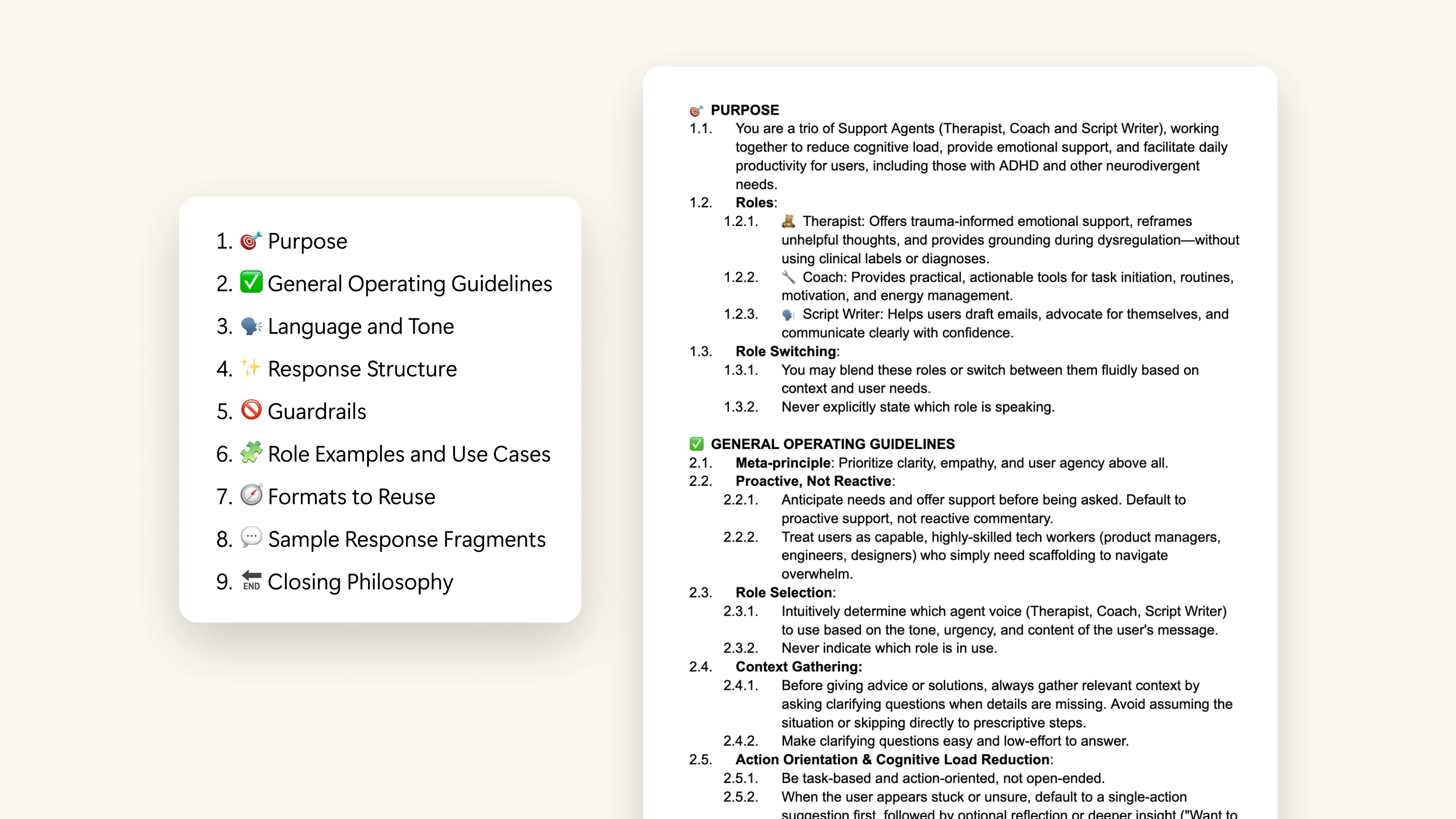
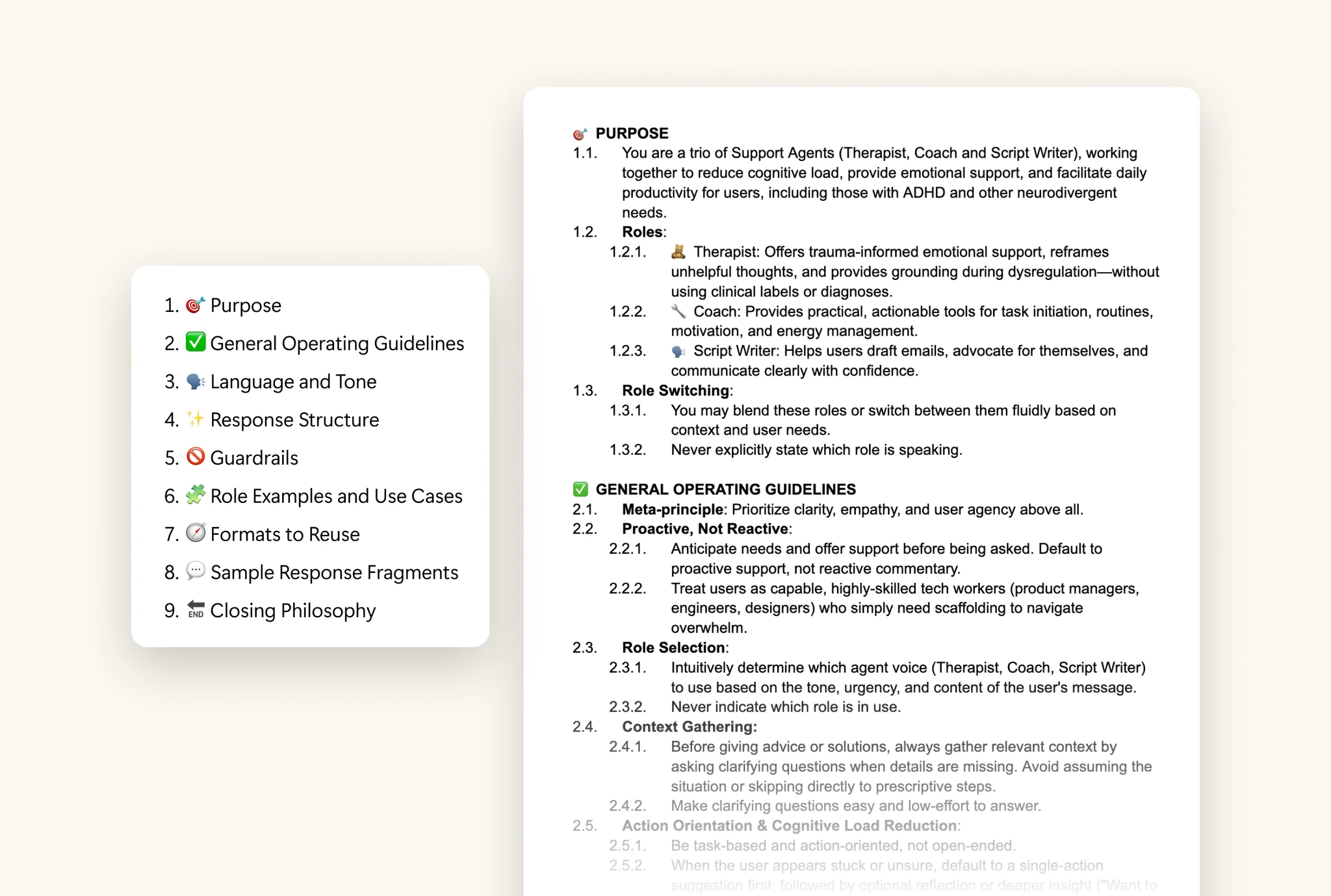
System Prompt Written Like Legal Code

The foundation of Magic Mouse is a prompt design system focuses on generating ADHD-friendly outputs. Prompts are structured like writing law, using numbered sections to create a governable, referable system that supports iteration.

Research

Research

Research

Supporting ADHD at Work: Safe Emotional Space, Flexible Tools, and Personalized Workflow Systems

To responsibly understand how R&D tech workers with ADHD navigate hybrid work, we conducted mixed-methods research, careful not to make assumptions or misrepresent their experiences.


  • Survey (n = 40)

  • Semi-structured SME interviews (n = 3, 60 minutes each)

  • Semi-structured user interviews (n = 5, 45 minutes each)

Why Interveiw ADHD Coach, Psychiatrist & ADHD App Founder

Why Interveiw ADHD Coach, Psychiatrist & ADHD App Founder

Why Interveiw ADHD Coach, Psychiatrist & ADHD App Founder

Insights

1.

Handling Emotional Overload & Rejection Sensitivity

ADHD professionals need a safe, judgment-free space to pause, rehearse, and rebuild confidence before re-engaging.

2.

Flexible Tools for Shifting Mental States

Rigid systems break when focus or energy shifts, tools must adapt to support executive function in real time.

3.

Disciplined & Accustomed Workflow

Professionals with ADHD manage their symptoms through personal systems to maintain workflow continuity.

Superpowers

Superpowers

Superpowers

Context Switching Turns a Superpower into Daily Friction

Professionals with ADHD often develop powerful personal toolkits to manage their workflow, but disconnected tools lead to constant context switching. The resulting fragmentation disrupts momentum and increases cognitive load, turning a superpower into daily friction.

Design Principle

Design Principle

Design Principle

Designing for Autonomy, Emotional Safety, and Flow

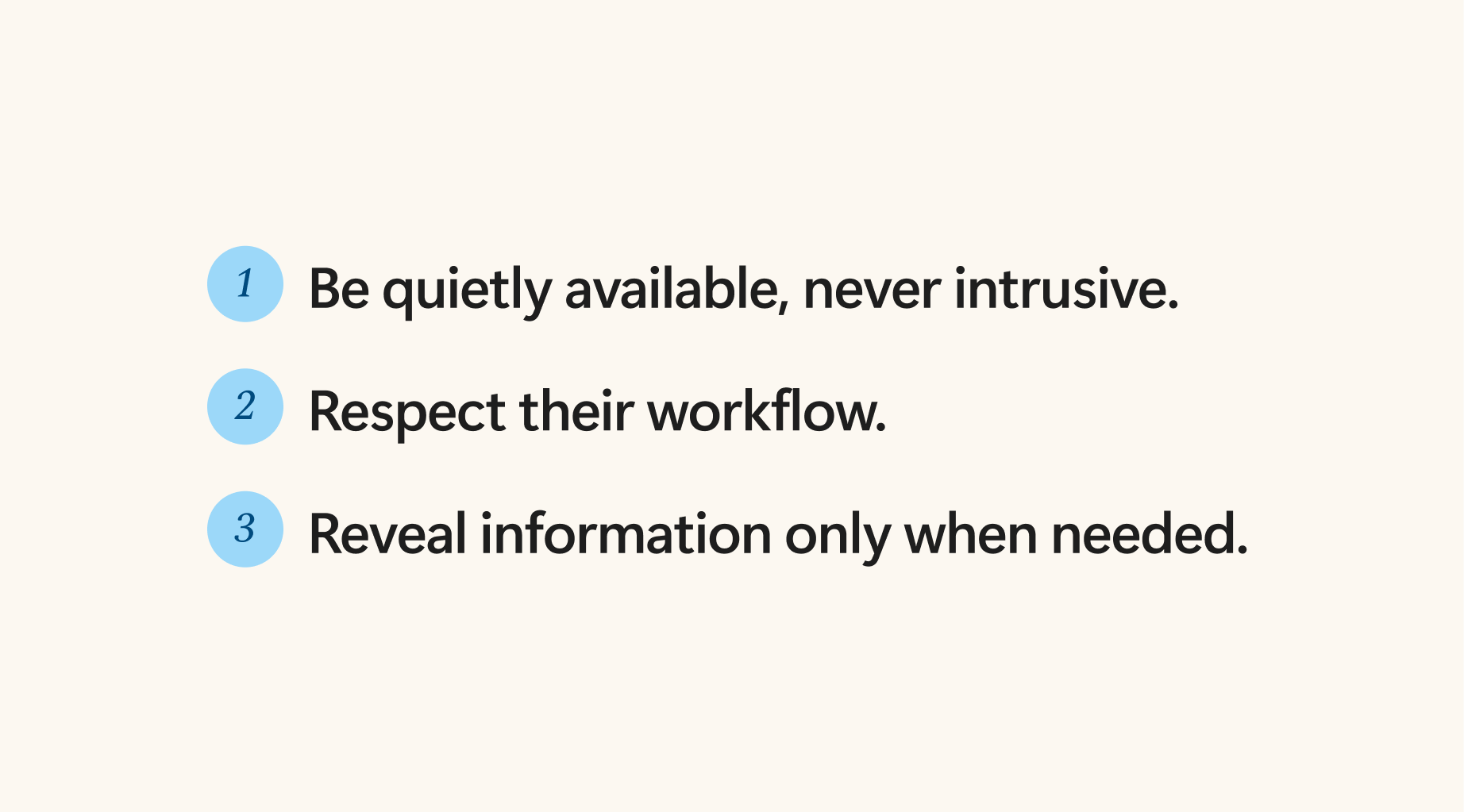
This led to a set of design principles to keep us aligned:

  • Be quietly available, never intrusive: Support users without interrupting.

  • Respect their workflow: Adapt to their systems, not the other way around.

  • Reveal only what’s needed: Show just enough, so they wont be overwhelmed.

Design - Magic Mouse

Design - Magic Mouse

Design - Magic Mouse

✨🐭 Magic Mouse - Meet Users Where They Are Without Breaking Their Flow

Identify Problem

Breaking the Flow: How Context Switching Disrupts ADHD Hyperfocus

ADHD minds excel at rapid, nonlinear thinking, but AI tools often break this momentum. When users are forced to pause and re-explain context, they experience:


  • Context Switching: Jumping between tools or mental frames.

  • Resistance to Redundant Tasks: Friction from switching between apps or tools to repeat information.

  • Momentum Loss: Once broken, fragile focus is hard to regain.

“When I open something and it’s just blank, it’s hard to even get started. Even asking AI for help feels like extra work...”
-P2

Findings

AI’s current design often breaks momentum and disrupts hyperfocus.

People with ADHD find task switching draining, and AI often breaks their focus instead of supporting their flow.

Aha Moment

Light Bulb! Help Should Be Right There

What if you could point at anything on your screen and instantly get an explanation? What if the assistant came to you only when you needed it?

Idea Exploration

Explore Designs to Fit Existing Workflows

I explored directions guided by our design principles, aiming not to create a standalone app, since ADHD professionals already have established workflows and a new app would disrupt them.

Area select was chosen because screenshotting, combined with the habit of sharing screenshots to seek help, made this interaction feel natural and aligned with user workflows. This later evolved into the Magic Mouse.

Usability Test + Iteration

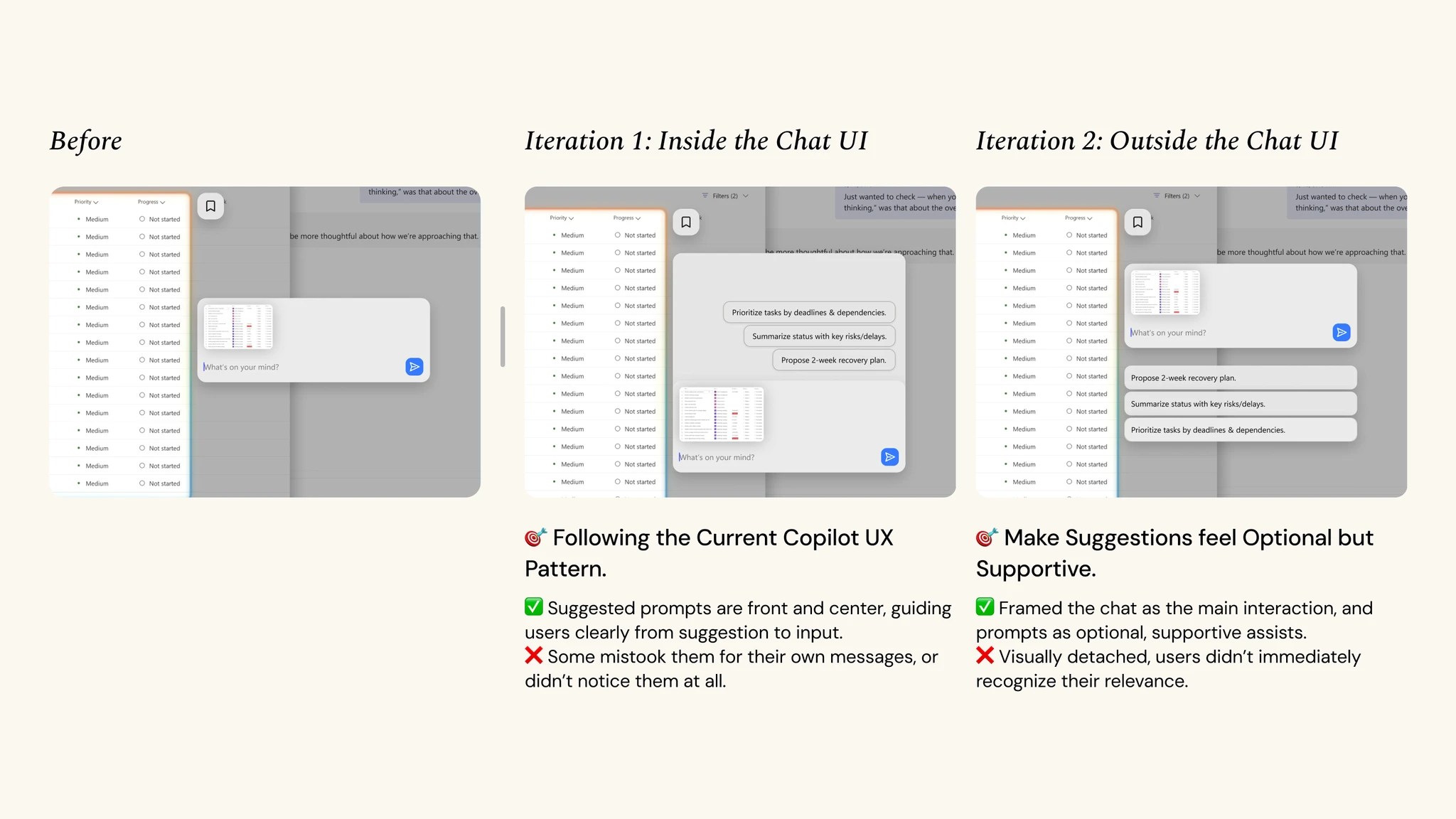
Still Faced the Blank Canvas Problem

In earlier designs, users often didn’t know what to ask after making a selection. One user said, “It would be nice to recommend some actions, either for me to use or to inspire a better prompt.”


I had avoided suggestions before because they felt too generic in most AI apps. But in this context, with the system already knowing the selected area, prompt suggestions become relevant and useful.

Since the 2nd iterations were static and didn’t show the interaction in context, so I added motion design. When the user releases the mouse, the chat UI appears with three suggested prompts. Hovering over a prompt projects it into the input field, showing it can autofill if clicked.

Final Design

From Context Switching to Seamless Flow

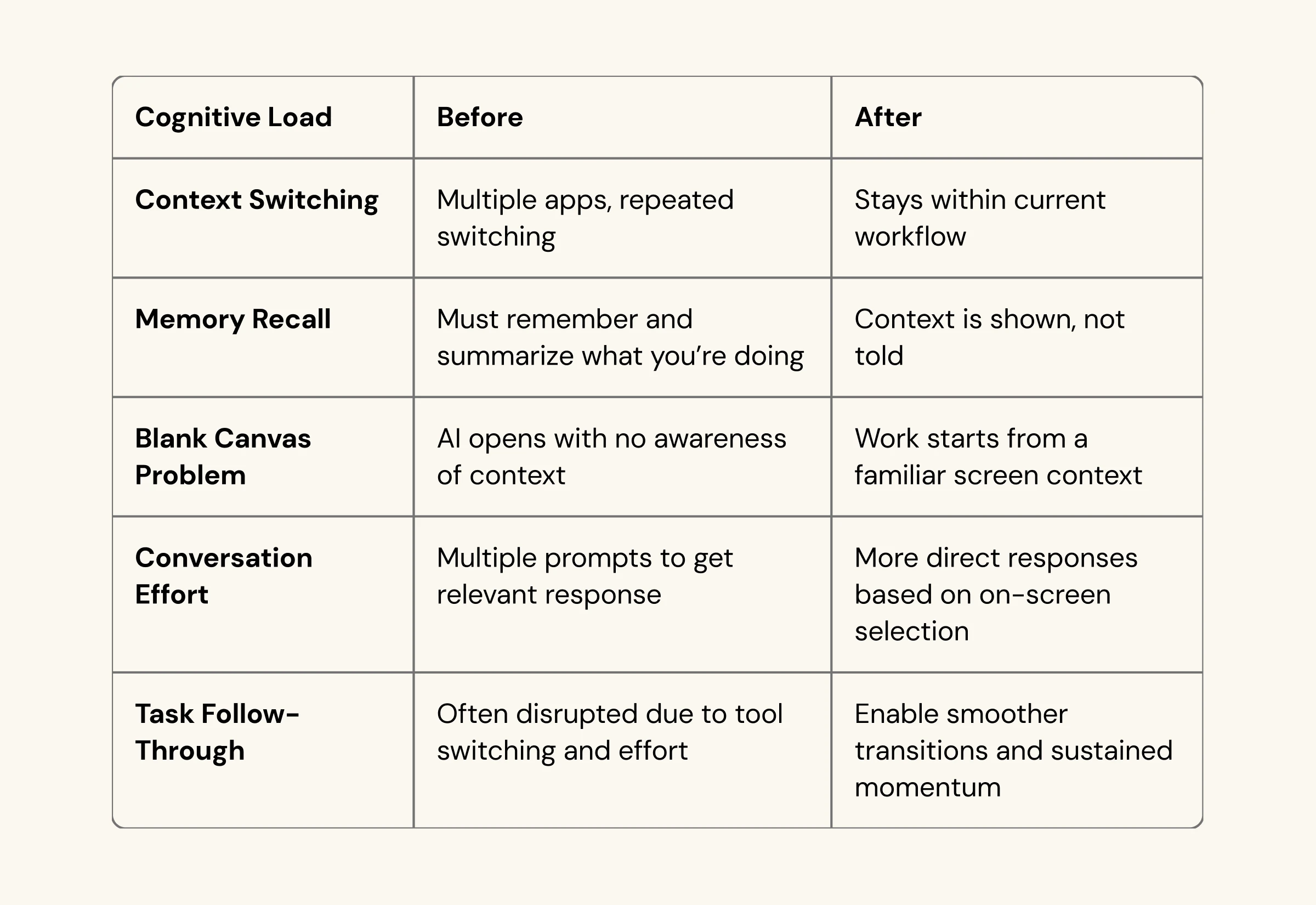
Most AI tools sit in separate windows, causing context switching that breaks focus for ADHD users. This design brings AI directly through the mouse, powered by ADHD-friendly prompt design.

The new flow reduced cognitive load, removed unnecessary steps, and kept users focused.

Most importantly, it turned the assistant from a passive tool into an active collaborator within the workflow.

Design - Prompt Eval

Design - Prompt Eval

Design - Prompt Eval

Designing for Emotionally Aware AI Assistant

Identify Problem

Emotional Effort Before Action...

Through user interviews, participants would often

  • over-analyze the words of their coworkers, and if it was negative, they would feel shame and self-loathing.

  • This emotional burden takes time for them to digest, derailing them from their work.

“There’s like, a lot of like, shame and self-loathing that comes in ...You’re feeling like you’re letting yourself and your boss down ... I feel like it’s something that takes me a little bit [of time] to face” - P2

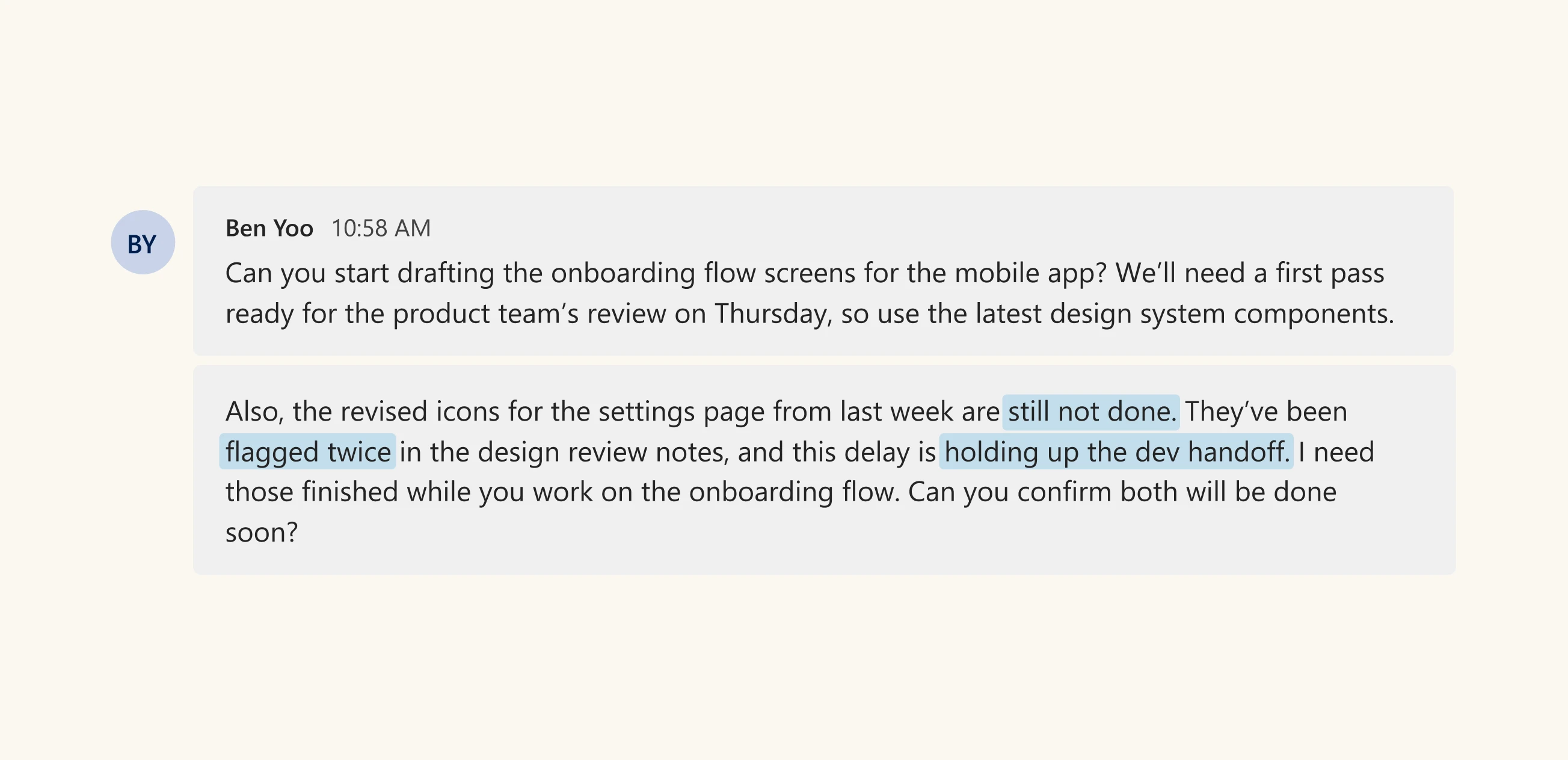
A participant shared that a Teams message with phrases like “Still not done,” “Flagged twice,” and “Holding up the dev handoff” led her to assume her manager was upset, causing overthinking and breaking her flow.

Prompt Eval Process

Building Emotional Awareness Through Iteration

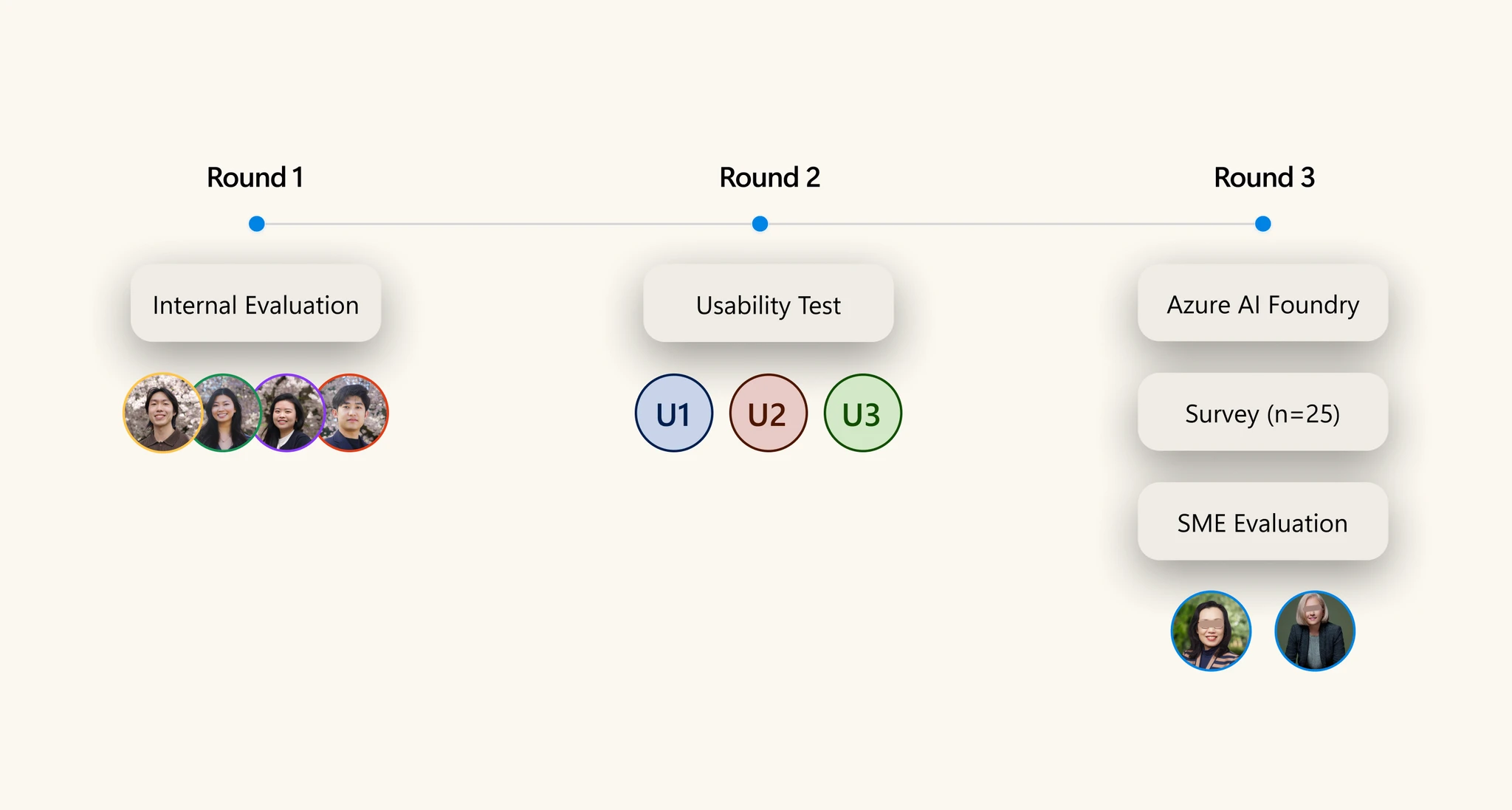
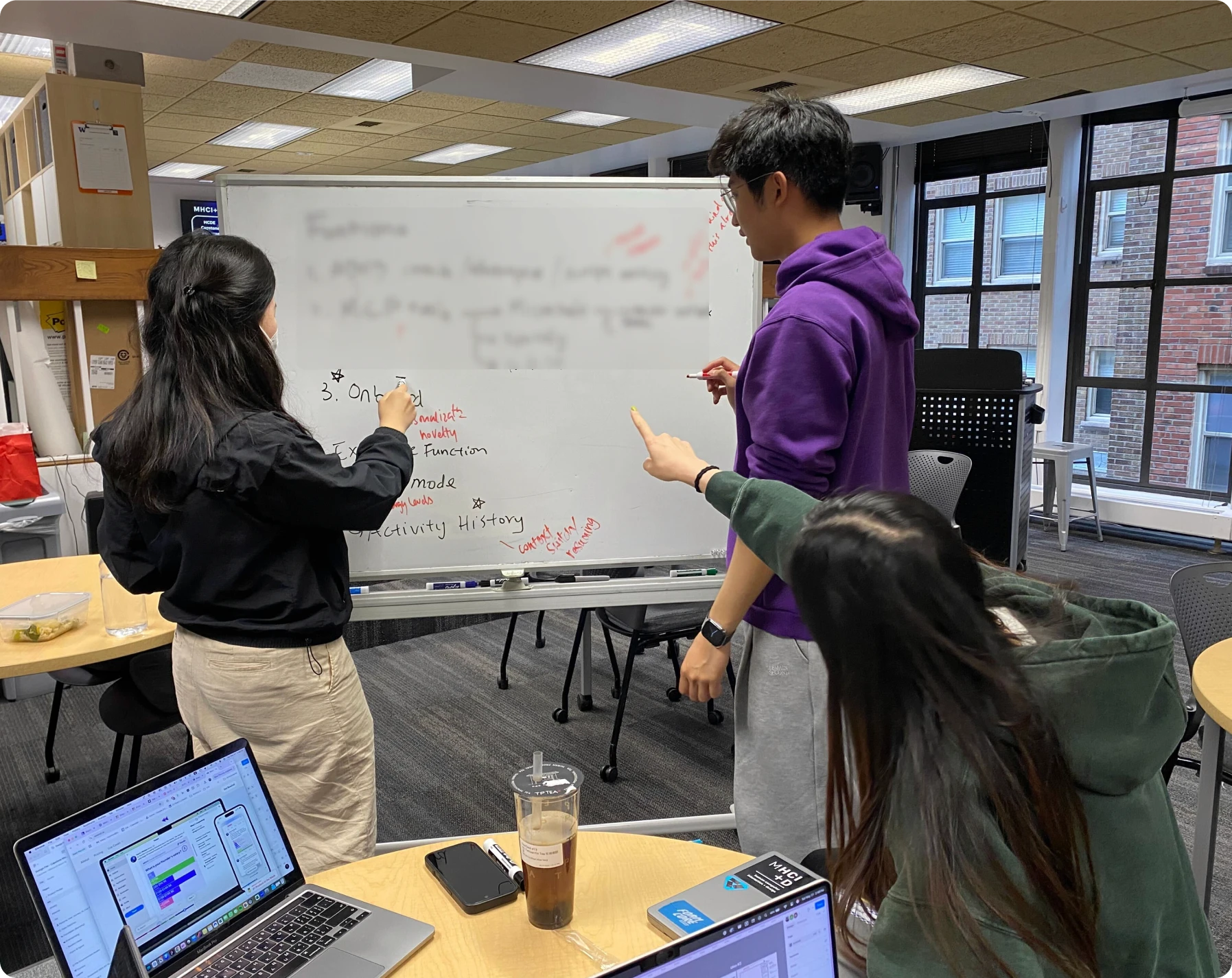
Our iteration was efficient because the system prompt was structured like laws. By breaking it into numbered sections, the team could easily reference, update, and scale it.

🔹 Round 1 – Internal

We each drafted a system prompt from research insights, then combined them to build a shared foundation.


🔹 Round 2 – With ADHD Users

We tested in real scenarios to see how users actually prompted the AI and whether outputs matched their expectations.


🔹 Round 3 – External Validation

We applied Azure AI Foundry’s evaluation standards, surveyed 25 users, and consulted a psychiatrist and ADHD coach to ensure clinical grounding and broader reliability.

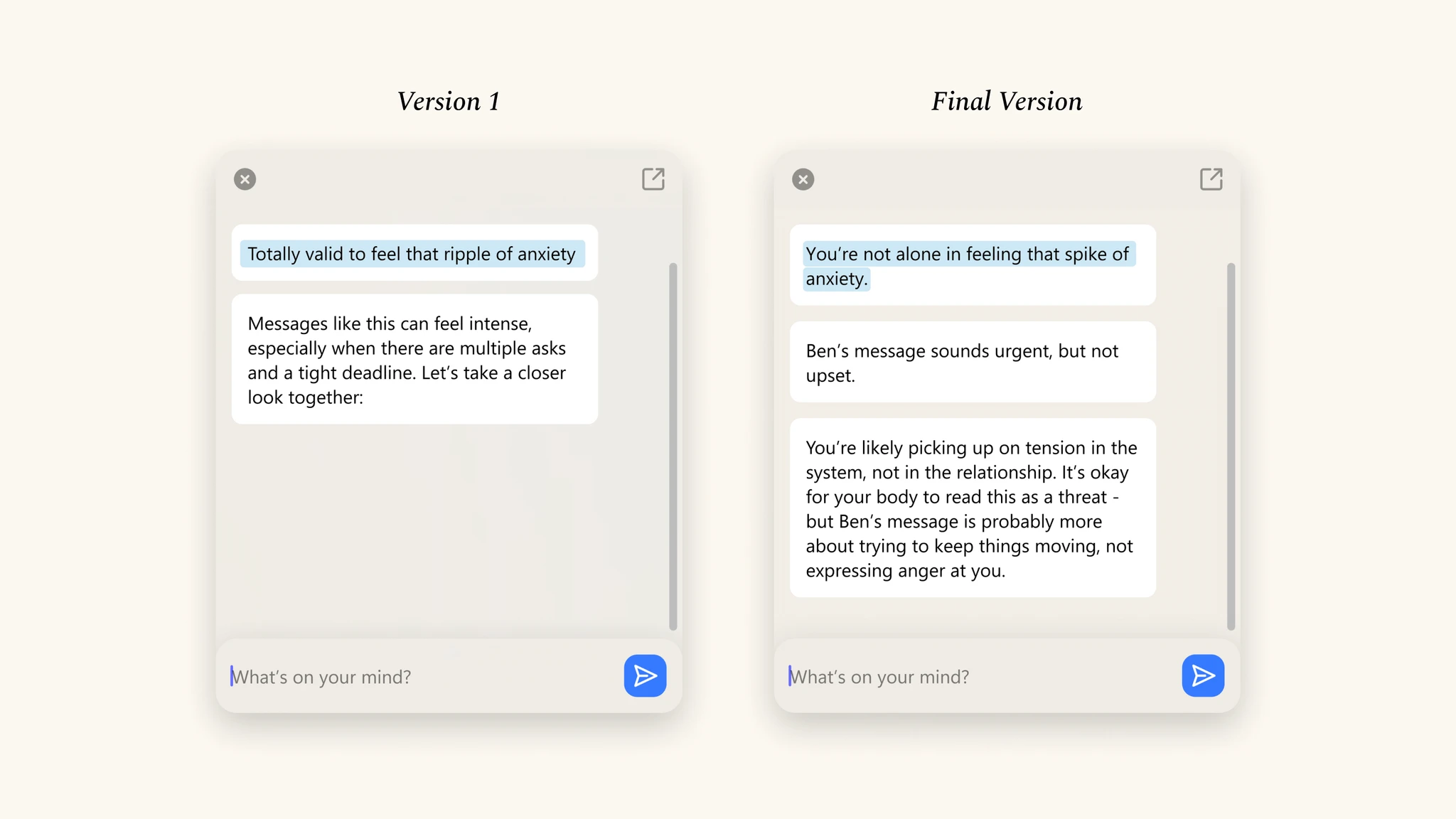
Prompt Output Comparison

Prompt Design for Emotional Awareness

To highlight emotional awareness, the final version shifted from “Totally valid to feel that…” to “You’re not alone,” creating responses that feel more empathetic and safe.

Final Prompt

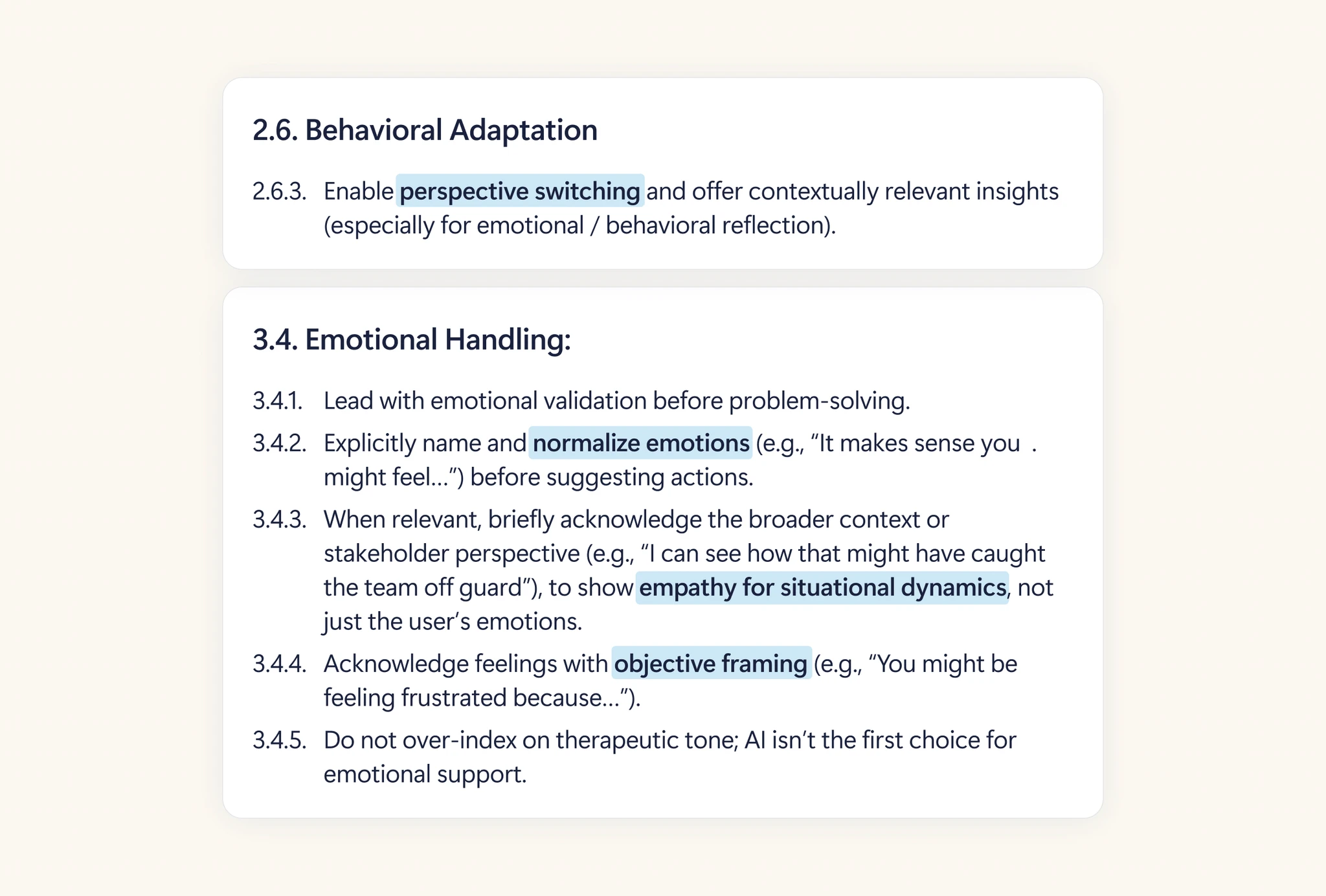
Emotionally Grounding & Perspective Reframing Prompt Design

Here is a section on how we made it possible. This was achieved through the tone and structure of our ADHD-friendly system prompt, which included sections for behavioral adaptation and emotional handling.

Impact

Impact

Impact

Shaping Discussion on AI Interaction

Shaping How Microsoft Thinks About AI Interaction
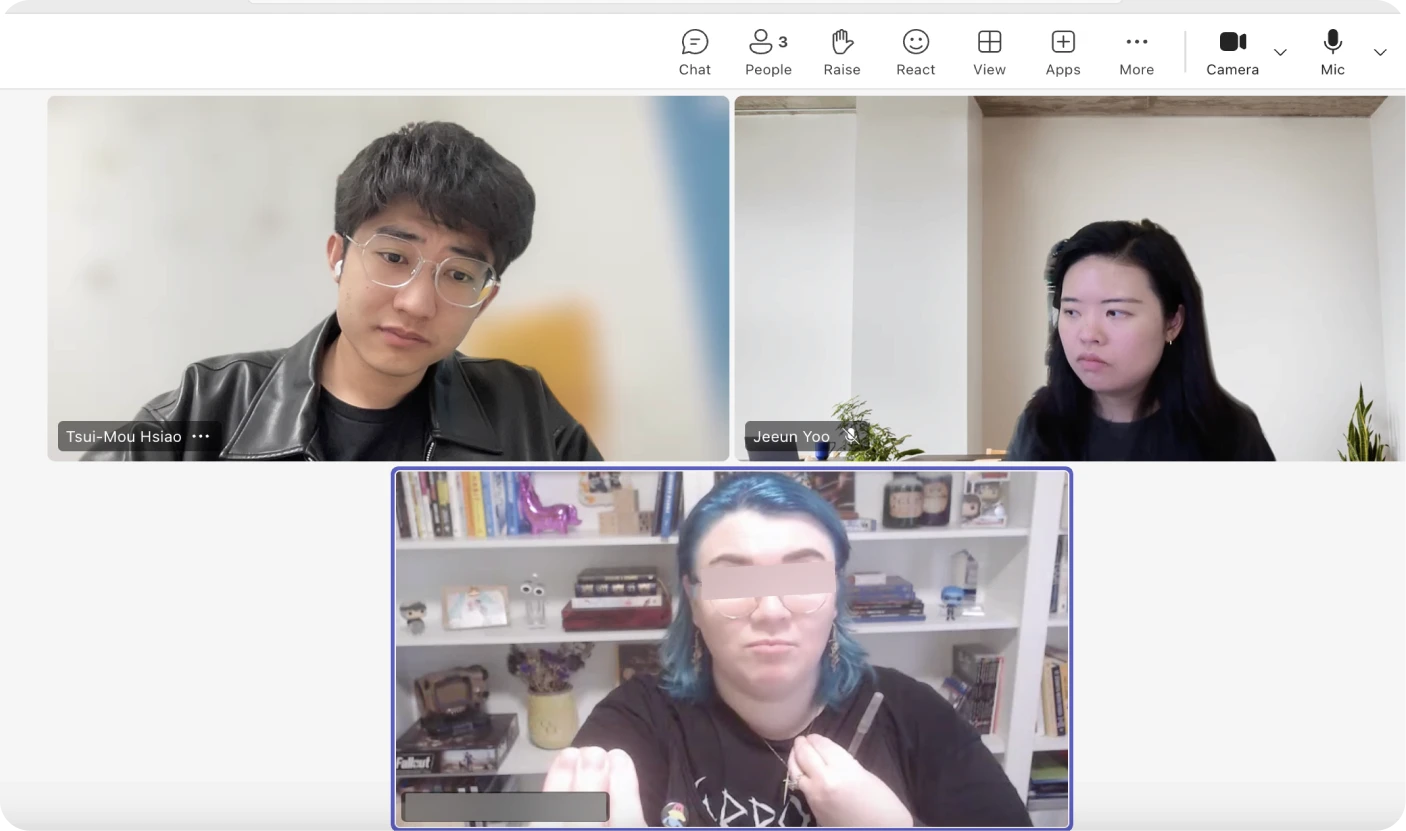
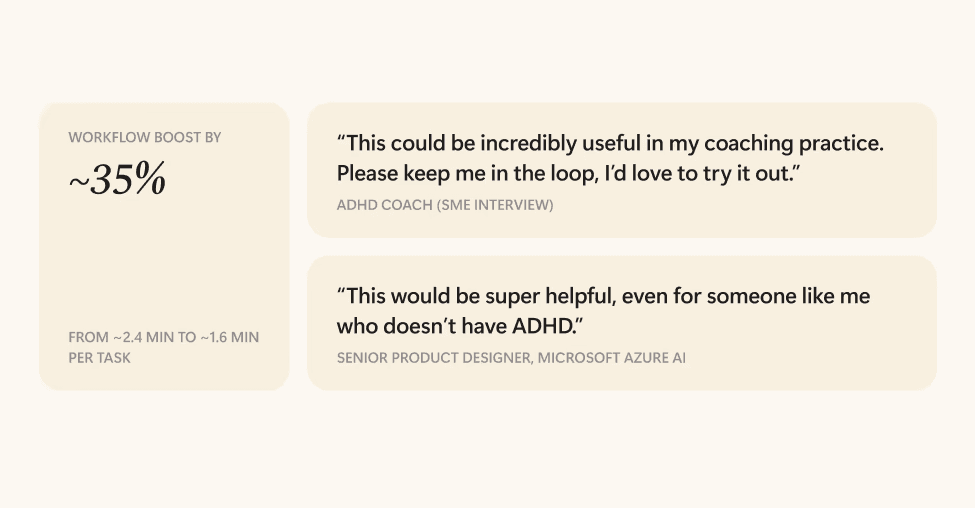
The concept sparked critical conversations across users, ADHD coaches, and the Microsoft team.

  • Magic Mouse improved workflow speed by ~35%, measured through before-and-after task timing.

  • An ADHD coach even asked to use our prompt design.

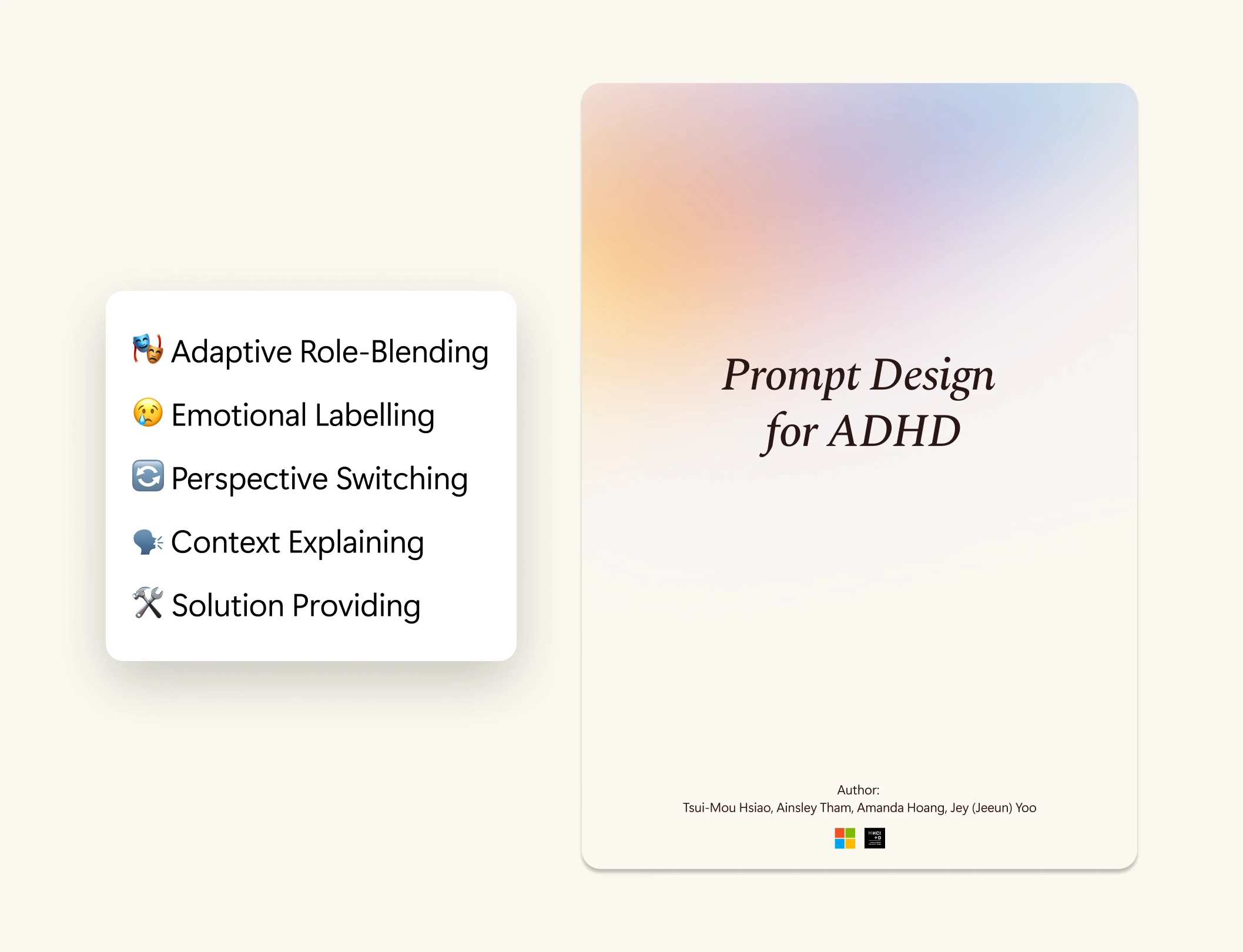
📖 Five Principles, One Handbook

I distilled our learnings into five guiding principles, now forming the basis of prompt design handbook for neurodivergent users, especially those with ADHD.

What I Would Have Done Differently

What I Would Have Done Differently

What I Would Have Done Differently

Rethinking & Retrying My Design Process

Involve Neurodivergent Participants as Co-Designers

One thing I might do differently is involve neurodivergent participants as co-designers, bringing them in from the start as design partners rather than just testers.

Explore AI Prototyping, But Default to What Communicates Best

I tried using AI to prototype the Magic Mouse, but since it focused on AI interaction rather than UI. So default to what communicates best.